If you're a breastfeeding mama (and I'm guessing you are if you found this page), you've probably seen those gorgeous Tree of Life photos all over Instagram and Pinterest.
You know the ones — the beautiful tree overlay that makes it look like life is literally flowing from you to your baby. They're stunning. And you want one. But every tutorial you find tells you to download some app, hunt for stickers, mess with opacity settings, find the right filter category...
Girl, there's a much easier way.
We built a free tool that does all of that for you. No app to download. No 10-step tutorial. Just upload your photo, pick your style, and download. That's it.
Let me show you how easy it actually is.
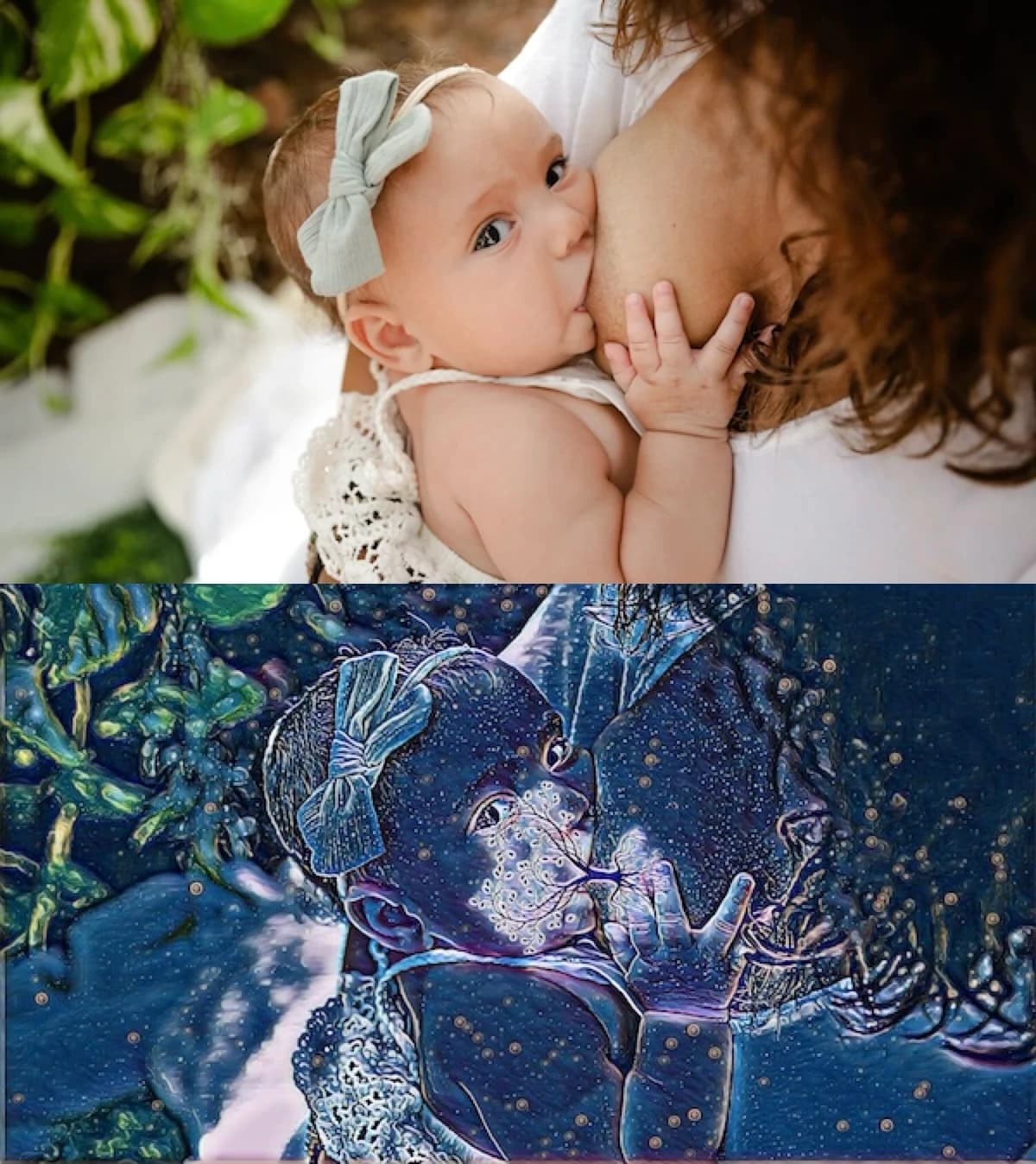
First: Take (or find) a good breastfeeding photo
Okay, this one's obvious but worth mentioning. The Tree of Life effect looks best when your photo clearly shows:
- The connection point — where baby is latched
- A good profile of your baby's head
- Some visible chest area where the tree "roots" will go
Already have a photo you love? Perfect. Let's make it magical.
The way everyone else tells you to do it
Most tutorials out there will tell you to:
- Download a photo editing app like Picsart
- Create an account (ugh)
- Upload your photo
- Navigate to the stickers menu
- Search for "tree of life" stickers
- Pick one and manually position it
- Resize and rotate until it fits
- Adjust the opacity so it blends
- Go to the effects/FX menu
- Find the "Magic" filter category
- Try different filters until one works
- Optionally add lens flare (more menus...)
- Finally export your image
Look, these apps are great for lots of things. But if all you want is a beautiful Tree of Life photo, that's a LOT of steps.
The easy way (what we're about to do)
Upload your photo
Head to our homepage and drag your photo in, or tap to select it from your camera roll. No app to download, no account to create — just you and your photo.

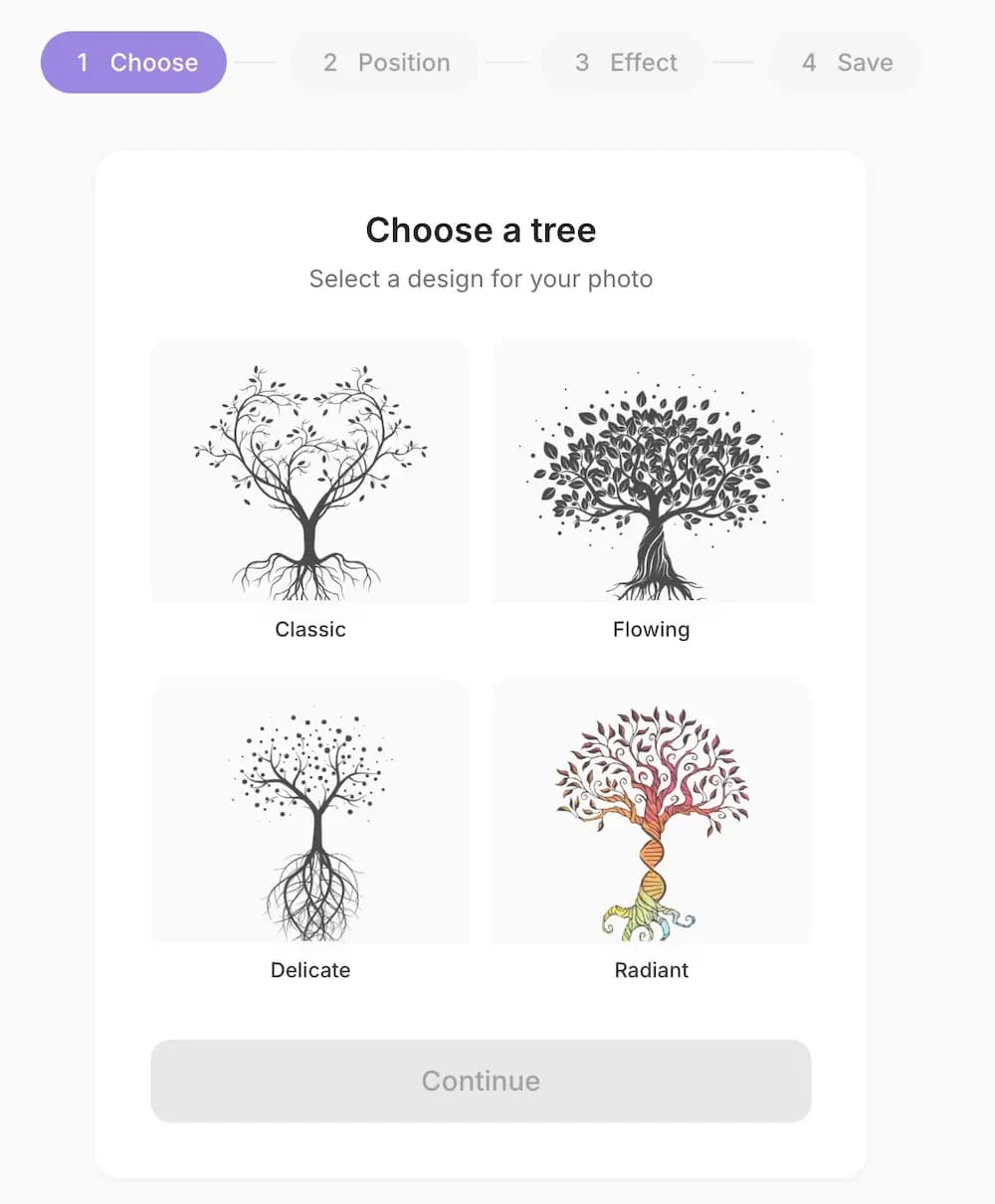
Choose your tree
Pick from four beautiful tree designs — Classic, Flowing, Delicate, or Radiant.
Position and resize
Drag to position the tree perfectly over your photo. You can resize and rotate until it's just right.

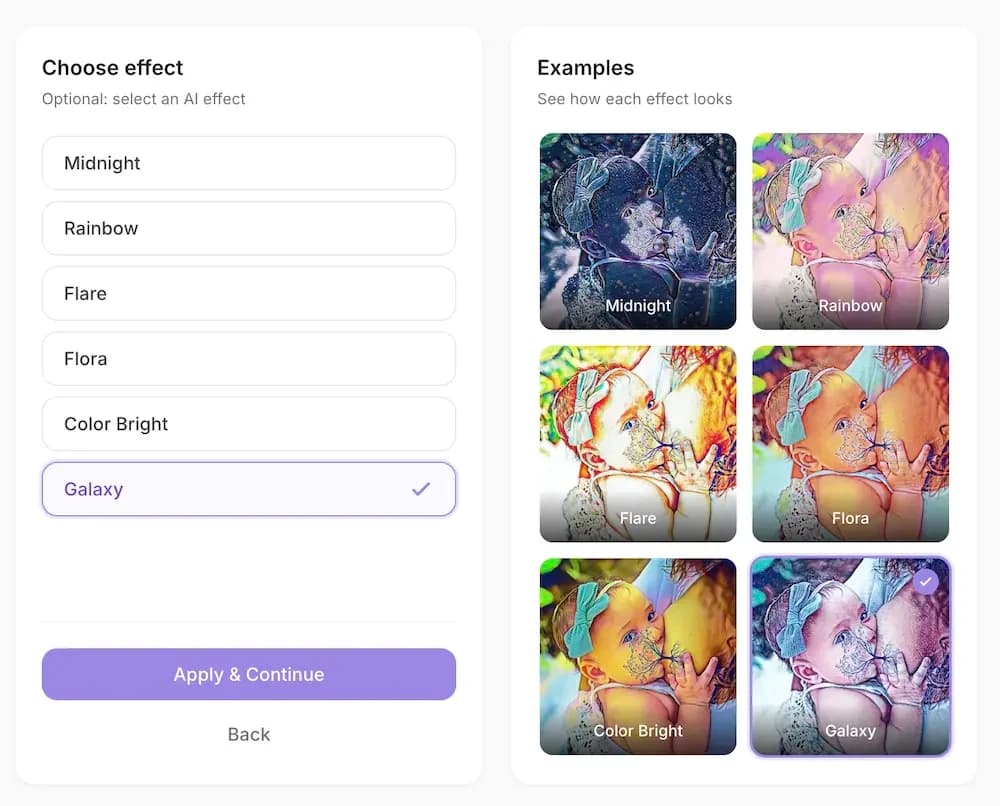
Pick your effect
This is where the magic happens. Choose from stunning AI-powered effects like Galaxy, Midnight, Flora, Rainbow, and more. You'll see a live preview of each one before you decide.
Download and treasure forever
Hit download and your beautiful Tree of Life photo saves straight to your device. High quality, no watermarks, ready to print, frame, or share with the world.

And here's what you get
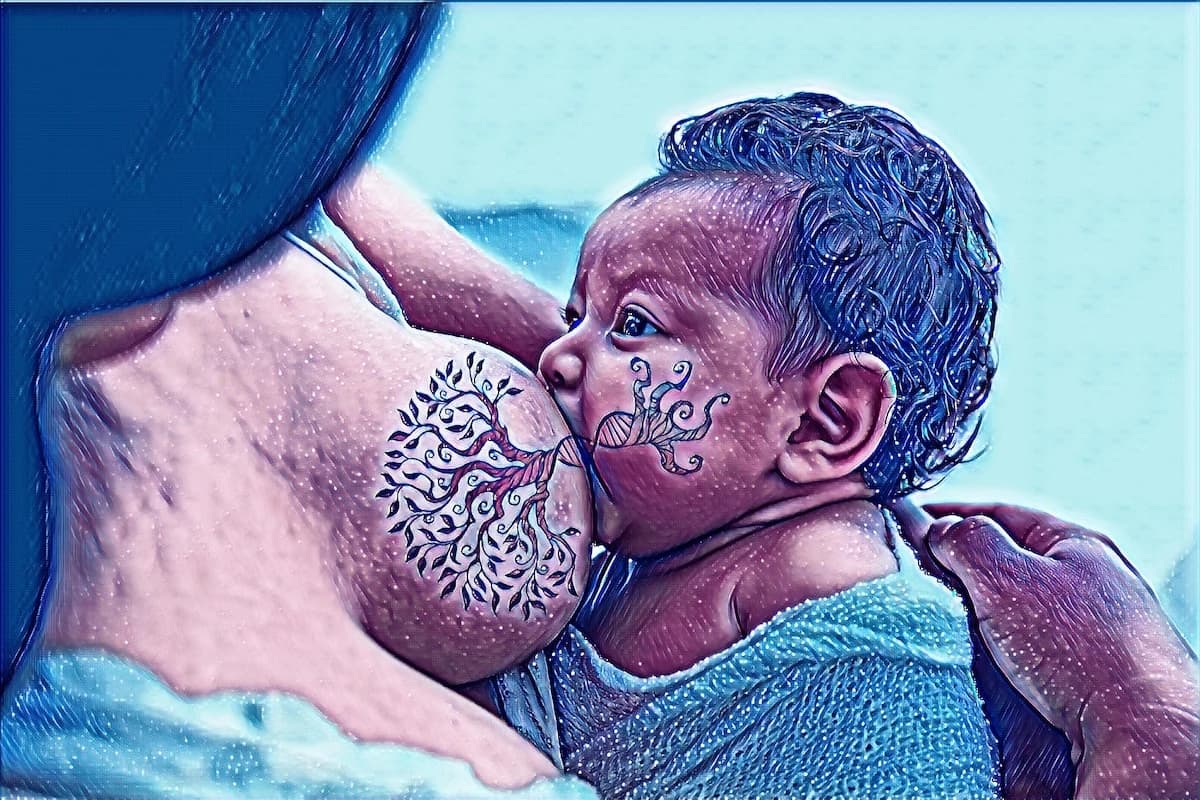
A beautiful keepsake you'll treasure forever
Total time
Under 60 seconds
Seriously. We timed it.
Why this is better than using Picsart
No app download
Works in your browser
No account needed
Just start creating
Effects built in
No hunting through menus
100% free
No premium tier required
No watermarks
Your photo, clean and beautiful
Look, those Picsart tutorials aren't wrong — you can make a Tree of Life photo that way. But why spend 10 minutes fumbling through menus when you can do it in under a minute?
We built this tool because we were tired of seeing moms ask "can someone make me one of those cool tree photos?" You shouldn't need to learn photo editing software or pay for premium filters just to celebrate your breastfeeding journey.
Your turn. Go make something beautiful.
Free. No download. Takes 60 seconds.
Don't forget to share your creation with #treeoflife #brelfie #normalizebreastfeeding